
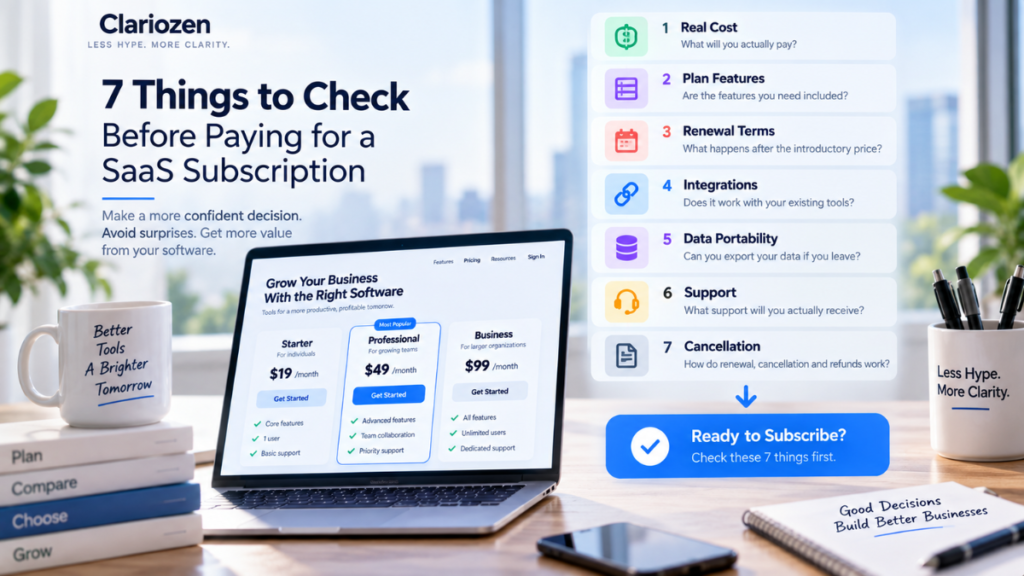
Signing up for software has never been easier.
Choose a plan, enter a credit card, and within minutes your business can be using a new CRM, AI tool, project management platform, email marketing service, or productivity app.
The difficult part often comes later.
A $19 monthly subscription becomes $79 when you need the right features.
Your team grows and suddenly every additional user costs extra.
The integration you assumed was included requires a higher plan.
Your introductory price expires.
Or six months later, you discover that moving your data somewhere else is much harder than expected.
None of these necessarily makes the software a bad product.
They simply illustrate an important principle:
The price on the pricing page is only one part of the buying decision.
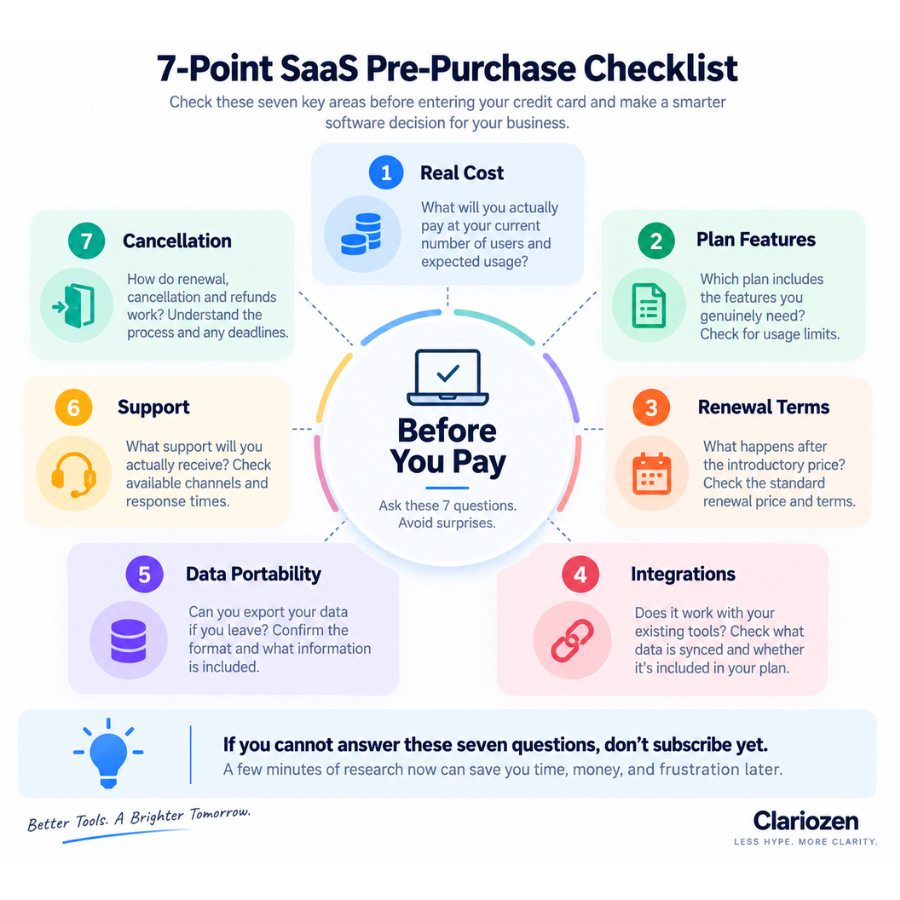
Before paying for a SaaS subscription, check these seven things.
1. What Will You Actually Pay?
The first number you see is not necessarily the number your business will pay.
A SaaS website might advertise:
Starting at $19/month
Before comparing that price with another product, determine what configuration your business actually needs.
Check whether pricing depends on:
- Number of users
- Number of contacts
- Email volume
- Storage
- Projects
- AI credits or usage
- Automations
- API calls
- Transactions
- Premium features
Then calculate the cost using your actual requirements.
For example:
| Item | Monthly Cost |
|---|---|
| Base plan | $29 |
| 3 additional users | $45 |
| Automation add-on | $20 |
| Additional usage | $15 |
| Actual monthly cost | $109 |
The $29 product is therefore not really a $29 product for this particular business.
Calculate the Annual Cost Too
Monthly prices can make subscriptions feel inexpensive.
But:
$109 × 12 = $1,308 per year.
That is a better number to use when deciding whether the software creates enough value to justify the expense.
Clariozen Tip: Compare the expected annual cost for your actual use case—not just the advertised starting price.
Internal link here:
How to Choose Business Software for a Small Business →
2. Which Features Are Actually Included in Your Plan?
SaaS pricing pages often show a long list of capabilities.
The important question isn’t:
“Does this software have this feature?”
It is:
“Does my plan include this feature?”
A product may technically support:
AI features,
advanced reporting,
automation,
integrations,
custom permissions,
API access,
or premium support,
while making some of them available only on more expensive plans.
Before subscribing, identify your 3–5 must-have features.
Then verify exactly which plan includes them.
A simple table helps:
| Must-Have Feature | Included? | Required Plan |
|---|---|---|
| Core workflow | ✓ | Starter |
| Email integration | ✓ | Starter |
| Automation | ✓ | Pro |
| Advanced reporting | ✓ | Pro |
| API access | ✓ | Business |
Suddenly, the plan you thought you needed may not be the plan you actually need.
Watch for Usage Caps
A feature can also be “included” but heavily limited.
For example:
AI included — 50 uses/month
Automation included — 5 workflows
Storage included — 5 GB
Email included — 2,000 sends/month
The presence of a checkmark does not tell you whether the allowance is sufficient.
3. What Happens When the Introductory Price Ends?
Discounted pricing is common in SaaS.
You might see:
50% off for the first year
or:
$2.99/month when billed annually
That may be a perfectly good offer.
But you should know what happens afterward.
Check:
- Standard renewal price
- Length of promotional period
- Monthly vs annual pricing
- Whether renewal is automatic
- Whether discounts apply only to new customers
- Whether changing plans affects promotional pricing
Consider two services.
Service A
First year:
$120
Renewal:
$360/year
Service B
First year:
$240
Renewal:
$240/year
Service A looks dramatically cheaper in an advertisement.
Over three years:
Service A = $840
Service B = $720
The “cheaper” service can therefore become more expensive over time.
Think Beyond Year One
For software that may become deeply integrated into your business, evaluate:
Year 1 cost + likely renewal cost + likely growth cost
rather than only the introductory offer.
4. Does It Work With the Tools You Already Use?
Integrations can determine whether a SaaS product saves time or creates more work.
Before paying, list the systems the new software needs to interact with.
For example:
Gmail
Microsoft 365
CRM
Accounting
Slack
Shopify
WordPress
Calendar
Payment processor
Zapier or another automation platform
Then verify the integrations that matter.
But don’t stop at seeing a familiar logo on an “Integrations” page.
Ask:
- What data is actually synchronized?
- Is synchronization one-way or two-way?
- How frequently does it sync?
- Is the integration included in my plan?
- Does it require another paid service?
- Does it require technical configuration?
For example:
“Integrates with Gmail”
could mean anything from a simple email extension to full automatic synchronization of customer conversations.
Those are not the same thing.
Native Integration vs Third-Party Automation
Suppose Product A connects directly to your CRM.
Product B requires Zapier.
Product B may still work perfectly well, but now your software stack includes another:
subscription,
usage limit,
integration point,
and potential failure point.
That should be part of the buying decision.
5. Can You Get Your Data Out?
This is one of the least exciting questions to ask before subscribing.
It can also become one of the most important.
Before putting months or years of business information into a SaaS platform, understand:
What happens if we leave?
Check whether you can export:
- Contacts
- Customer history
- Projects
- Documents
- Reports
- Transactions
- Email lists
- Analytics
- Workflow data
- Other important records
Then ask:
What format is the export?
CSV?
Excel?
PDF?
JSON?
A proprietary format?
And does the export contain all of the information you need?
Data Portability Matters More Over Time
Imagine changing a project management app after one week.
Probably easy.
Now imagine changing it after four years when it contains:
hundreds of projects,
thousands of tasks,
attachments,
comments,
automations,
and historical records.
Very different situation.
This is why switching costs should be considered before subscribing.
A good buying decision includes an exit plan.
6. What Support Will You Actually Receive?
Support often gets ignored during software comparisons because everything works during the demo.
But what happens when:
your integration breaks,
your account is locked,
your billing is wrong,
an automation stops running,
or your team cannot figure out an important feature?
Check which support channels your plan includes:
- Knowledge base
- Community
- Live chat
- Phone
- Onboarding
- Priority support
- Dedicated account manager
Then check availability.
“Customer support available” does not necessarily mean:
24/7 live support.
It may mean:
Email support, Monday–Friday.
For a non-critical design tool, that may be perfectly acceptable.
For software responsible for payments, customer communication, or an important sales process, support may deserve much more weight.
Also Evaluate Documentation
Good documentation can sometimes be more valuable than waiting for support.
Look for:
- Setup guides
- Tutorials
- Help articles
- Videos
- API documentation
- Troubleshooting resources
Software becomes easier to operate when answers are easy to find.
7. How Do Cancellation and Renewal Work?
This is the final check before paying.
Understand exactly what you are agreeing to.
Look for:
- Monthly or annual commitment
- Automatic renewal
- Cancellation deadline
- Refund policy
- Free-trial conversion
- Account deletion process
- Data retention after cancellation
- Downgrade options
For example:
A $50/month annual plan may actually mean you are committing to:
$600
rather than paying for one month at a time.
Similarly, a free trial may automatically convert into a paid subscription unless canceled before a particular date.
None of this is inherently problematic.
The important thing is knowing before entering your payment information.
Cancellation Is Different From Data Deletion
Also check whether:
Cancel subscription
and
Delete account
are separate actions.
If the platform contains important business data, understand what happens to that information after cancellation.
The 7-Point SaaS Pre-Purchase Checklist
Before You Enter Your Credit Card
1. Real Cost
What will we actually pay at our current number of users and expected usage?2. Plan Features
Which plan contains the features we genuinely need?3. Renewal Price
What will this cost after the introductory offer ends?4. Integrations
Does it work properly with our existing software stack?5. Data Portability
Can we export our important data if we leave?6. Support
What support is actually included in our plan?7. Cancellation
How do renewal, cancellation, refunds, and account deletion work?
If you cannot answer these seven questions, don’t subscribe yet.
Free Trial? Test a Real Workflow
If a free trial is available, don’t spend the entire trial exploring menus.
Use it to complete one real business workflow.
For a CRM:
Add lead → record interaction → schedule follow-up → move deal → generate report
For email marketing:
Import contacts → segment audience → create campaign → build automation → check reporting
For project management:
Create project → assign tasks → collaborate → attach files → review overdue work
For an AI tool:
Complete the exact task you expect employees to use it for repeatedly.
Then ask:
Did this actually make the work easier or better?
A product demo shows you what software can do.
A realistic workflow helps reveal what it is like to actually use.
Don’t Let Annual Discounts Make the Decision for You
Annual plans often offer meaningful savings.
For example:
Monthly: $29/month
Annual: $228/year ($19/month equivalent)
The annual plan saves:
$120 per year.
That sounds attractive.
But only if you’re reasonably confident you will use the product.
Paying $228 for software you abandon after six weeks is more expensive than paying $29 for two months and canceling.
For unfamiliar software, a sensible approach can be:
Validate first. Commit later.
Use a trial or shorter billing period to confirm that the software fits your workflow before optimizing for the lowest annual price.
Watch for SaaS Stack Creep
One $20 subscription rarely causes a problem.
The bigger issue is accumulation.
For example:
| Tool | Monthly Cost |
|---|---|
| CRM | $75 |
| Email marketing | $80 |
| Project management | $40 |
| AI tool | $40 |
| SEO software | $120 |
| Automation | $50 |
| Design software | $30 |
| Other tools | $65 |
| Total | $500/month |
That’s:
$6,000 per year.
And a small business may not even use every subscription regularly.
This is sometimes called SaaS sprawl or software stack creep.
Every few months, review:
What are we paying for?
Who uses it?
What problem does it solve?
Is another tool already doing the same job?
Would we subscribe again today?
That last question is particularly useful:
If we didn’t already have this subscription, would we buy it today?
If the answer is no, it may be time to reconsider it.
Cheap Software Can Be Expensive
Price should matter.
But cost and value are not the same thing.
Imagine:
Product A
$20/month
Requires 5 hours of manual work each month.
Product B
$60/month
Automates that work reliably.
If an employee’s time is worth $30/hour:
Product A’s apparent cost:
$20
Potential effective monthly cost:
$20 + $150 of time = $170
Product B:
$60
In that scenario, the more expensive subscription may create more value.
This does not mean you should always buy premium software.
It means:
Evaluate software based on the total cost of accomplishing the job—not just the subscription fee.
How This Fits Into a Software Buying Decision
Before reaching this article, the broader buying process should look something like:
Problem
↓
Requirements
↓
Shortlist
↓
Comparison
↓
Trial
↓
7-Point Pre-Purchase Check
↓
Subscribe
↓
Review periodically
If you are still at the beginning of that process, read:
How to Choose Business Software for a Small Business →
If you’re deciding between sales and marketing systems, read:
CRM vs Email Marketing Software: What Does a Small Business Actually Need? →
Final Thoughts
A SaaS Subscription Is Easy to Start—and Sometimes Harder to Leave
Good SaaS products can give small businesses access to capabilities that once required expensive software, infrastructure, or specialized staff.
But the convenience of clicking Subscribe can make it easy to skip the buying process.
Before paying, understand:
what you actually need,
what you will actually pay,
what happens as you grow,
how the software connects to your existing tools,
how your data can leave,
what help you’ll receive,
and
how you can cancel.
The goal isn’t to avoid subscriptions.
It’s to make sure every subscription earns its place in your software stack.
Buy the workflow improvement—not the feature list.
Make a Better Software Decision
Explore Clariozen’s practical software guides and comparisons before committing to your next business tool.
Pingback: Best Web Hosting for Small Business Websites in 2026 - clariozen.com