
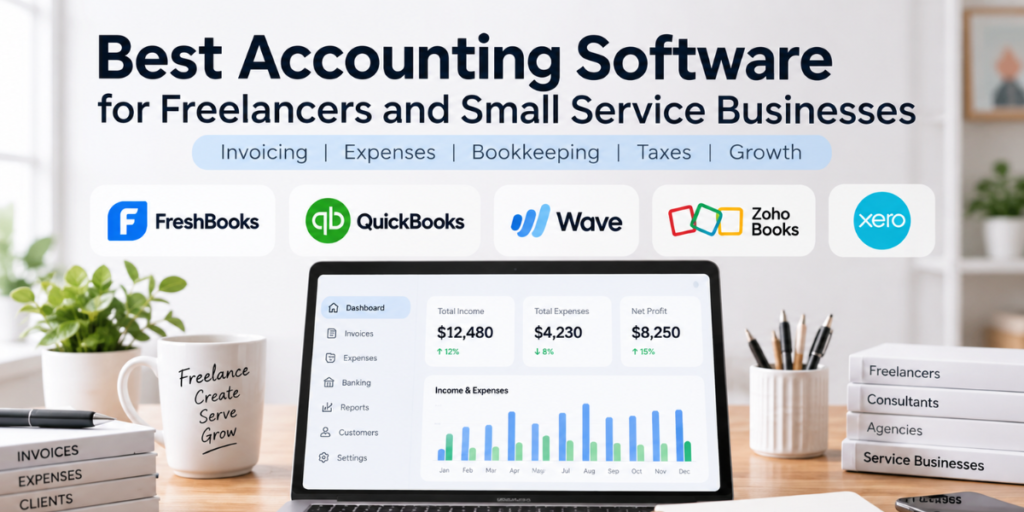
For freelancers and small service businesses, accounting software usually needs to do more than record income and expenses.
It may also need to help you:
- send professional invoices
- track unpaid client bills
- categorize expenses
- reconcile bank transactions
- prepare for tax season
- monitor cash flow
- manage contractors
- understand whether your projects are actually profitable
The challenge is that many accounting platforms are designed for very different types of businesses.
A solo consultant may need simple invoicing and expense tracking. A growing agency may care more about project profitability, multi-user access, contractors, and deeper financial reporting.
This guide compares several accounting platforms worth considering in 2026, with particular attention to freelancers, consultants, agencies, contractors, and other service-based small businesses.
Quick takeaway: The best accounting software is usually the one that matches the complexity of your business today without creating unnecessary administrative work.
Our Shortlist
| Software | Best Fit | Current Starting Point | Main Strength |
|---|---|---|---|
| FreshBooks | Freelancers and client-service businesses | Lite currently listed at $23/mo before promotions | Invoicing and client-focused workflow |
| QuickBooks Online | Small businesses needing broader accounting capabilities | Simple Start currently $38/mo before promotions | Accounting depth and ecosystem |
| Wave | Freelancers and very small businesses on a budget | Free Starter plan | Low-cost invoicing and bookkeeping |
| Zoho Books | Small businesses wanting strong value and automation | Free plan available; Standard from $15/mo billed annually | Broad features at competitive pricing |
| Xero | Growing service businesses and accountant collaboration | Early currently $25/mo | Cloud accounting and financial workflow |
Pricing and promotions change frequently, so always verify the current plan before subscribing.
1. FreshBooks
Best for: Freelancers and service businesses that invoice clients regularly
FreshBooks is particularly well suited to businesses where the workflow revolves around:
client work → invoice → payment → expense tracking → profitability.
Its current feature set includes invoicing, payments, expenses, accounting, mileage tracking, reporting, estimates, proposals, payroll options, and client management. FreshBooks specifically markets the platform to freelancers, solopreneurs, businesses with contractors, and businesses with employees. FreshBooks
Why freelancers may like it
FreshBooks places a lot of emphasis on client-facing financial tasks.
That can make it attractive for:
- consultants
- designers
- marketers
- freelancers
- coaches
- agencies
- professional service businesses
The Lite plan currently allows invoicing for up to five clients and includes expense tracking, estimates, payments, and tax-time reports. Higher plans increase client limits and add broader accounting and project-related functionality. FreshBooks
Potential drawback
Businesses that need more complex accounting, inventory, extensive reporting, or broader financial operations may eventually want a more accounting-heavy platform.
Best fit
FreshBooks may be especially attractive if your main concerns are:
- invoicing clients professionally
- tracking billable work
- monitoring project profitability
- recording business expenses
- making tax preparation easier
Clariozen view: FreshBooks makes the most sense when accounting is closely tied to client work rather than complex back-office finance.
2. QuickBooks Online
Best for: Small businesses that expect their accounting needs to become more complex
QuickBooks is one of the most established small-business accounting platforms in the U.S.
Its current U.S. QuickBooks Online pricing starts with Simple Start at $38/month before introductory discounts, followed by Essentials, Plus, and Advanced. Intuit also offers a separate Solopreneur product designed specifically for one-person businesses. QuickBooks
Why small service businesses may like it
QuickBooks can cover a broader range of financial operations than many freelancer-focused platforms.
Depending on the plan, businesses can manage:
- income and expenses
- invoices and estimates
- banking
- reports
- bills
- time tracking
- contractors
- payroll integrations
- budgets
- project profitability
- inventory
- multi-user workflows
That breadth can make QuickBooks useful for a freelancer who expects to become a more structured small business.
Potential drawback
More capability usually means more complexity.
A solo freelancer who only sends a few invoices every month may find QuickBooks more powerful — and more expensive — than necessary.
Best fit
QuickBooks may make sense for:
- established consultants
- agencies
- small firms with employees
- businesses working closely with accountants or bookkeepers
- companies expecting more sophisticated financial reporting
Clariozen view: QuickBooks is strongest when you want accounting software that can remain useful as the business becomes more operationally complex.
3. Wave
Best for: Freelancers and micro-businesses that want to keep software costs low
Wave is one of the more interesting options for new freelancers because it still offers a $0 Starter plan.
The Starter plan currently includes unlimited estimates, invoices, bills, and bookkeeping records. Wave’s Pro plan is currently $19/month or $190/year and adds features such as bank transaction imports, automated categorization, receipt capture, and unlimited users. Wave
Why freelancers may like it
The biggest advantage is obvious:
You can start with basic accounting and invoicing without immediately adding another monthly SaaS bill.
For someone launching a freelance business, that matters.
Wave can be especially useful for:
- new freelancers
- side hustles
- independent contractors
- very small service businesses
- businesses with relatively simple bookkeeping
Potential drawback
As the business becomes more complex, you may want deeper reporting, more advanced automation, or broader accounting functionality.
There are also transaction fees if you use Wave’s payment processing tools. Wave
Best fit
Wave may be a strong starting point if your requirements are mainly:
- send invoices
- record expenses
- monitor cash flow
- keep basic bookkeeping organized
- avoid paying for advanced functionality you do not yet need
Clariozen view: Wave is compelling when simplicity and low fixed cost matter more than sophisticated accounting tools.
4. Zoho Books
Best for: Small businesses that want strong features without a high starting price
Zoho Books offers an unusually broad accounting feature set for its price.
Its current U.S. pricing includes a Free plan, while Standard is listed at $15 per organization per month when billed annually. The free tier includes invoicing, quotes, expense tracking, vendors, mileage tracking, recurring invoices, bank reconciliation, customer portals, 1099 management, and more than 50 reports. Zoho
Why service businesses may like it
Zoho Books can be particularly attractive for companies that want:
- accounting
- invoicing
- recurring billing
- expense management
- reporting
- contractor tracking
- client portals
- project profitability
- workflow automation
It also becomes more interesting if the business already uses products such as:
- Zoho CRM
- Zoho Projects
- Zoho Desk
- Zoho Expense
Potential drawback
The large number of features and configuration options may be more than some freelancers want to manage.
The Zoho ecosystem is powerful, but it can take time to understand which products and plans you actually need.
Best fit
Zoho Books may suit:
- growing service businesses
- freelancers who want room to grow
- agencies
- small B2B firms
- companies already using Zoho applications
Clariozen view: Zoho Books stands out when you want a strong balance between price, functionality, and future scalability.
5. Xero
Best for: Growing small businesses that want cloud accounting and accountant collaboration
Xero is another major cloud accounting platform with a strong focus on small businesses.
Its current U.S. plans are listed at $25/month for Early, $55 for Growing, and $90 for Established, although Xero has already announced U.S. price increases taking effect October 1, 2026. The new prices will be $27, $59, and $97 respectively. Xero
Why service businesses may like it
Xero includes features such as:
- invoicing and quotes
- bank reconciliation
- bill management
- financial reports
- W-9 and 1099 management
- sales tax
- cash-flow forecasting
- project cost tracking on higher plans
- multi-currency support
- performance dashboards
Xero also specifically markets its software to freelancers, contractors, and professional-service companies. Xero
Potential drawback
The lowest tier has usage limits, including restrictions on invoices and bills.
Businesses with very simple needs may also find Xero more expensive than Wave or Zoho Books.
Best fit
Xero may work well for:
- growing agencies
- professional-service companies
- contractors
- businesses working closely with accountants
- companies needing stronger reporting and financial visibility
Clariozen view: Xero becomes more attractive when you are moving beyond basic freelancer bookkeeping toward a more structured financial workflow.
Which Accounting Software Is Best for You?
Instead of asking:
“Which accounting software has the most features?”
ask:
“What financial tasks are actually taking up my time?”
Choose FreshBooks if:
Your business revolves around clients, projects, invoices, and getting paid.
Choose QuickBooks if:
You want a deeper accounting system and expect your business to become more complex.
Choose Wave if:
You are early-stage, your bookkeeping is simple, and minimizing software cost matters.
Choose Zoho Books if:
You want a lot of accounting functionality at a competitive price.
Choose Xero if:
You want modern cloud accounting, strong reporting, and good collaboration with accountants.
What Should Freelancers Look for in Accounting Software?
For a freelancer or small service company, the most important capabilities are usually different from those of a retailer or manufacturer.
1. Invoicing
For many service businesses, invoicing is the center of the financial workflow.
Look for:
- professional invoice templates
- recurring invoices
- automatic payment reminders
- online payment options
- deposits
- estimates that convert into invoices
If invoicing takes too much time, accounting software should reduce that friction.
2. Expense Tracking
Business expenses should be easy to capture and categorize.
Useful features include:
- bank feeds
- receipt scanning
- automatic categorization
- mileage tracking
- recurring expense rules
The less manual data entry required, the easier bookkeeping becomes.
3. Bank Reconciliation
Connecting your accounting software to your business bank account can dramatically reduce manual work.
Good software should help you match:
bank transaction → recorded income or expense.
This improves accuracy and makes month-end bookkeeping easier.
4. Tax Preparation
Accounting software does not replace a tax professional, but it should help keep your records organized.
Look for:
- profit and loss reports
- balance sheets
- expense categories
- mileage tracking
- contractor records
- 1099 support
- accountant access
Cleaner books generally mean an easier conversation with your accountant.
5. Project Profitability
This matters especially for agencies, consultants, contractors, and professional services.
Revenue alone does not tell you whether a project was profitable.
Useful project-level tracking may include:
- billable hours
- labor costs
- expenses
- revenue
- profit margin
If you regularly quote projects, this capability can be more useful than dozens of generic accounting features.
6. Online Payments
The easier you make it for clients to pay, the better.
Look at:
- card processing
- ACH
- recurring payments
- payment links
- invoice payment buttons
But always consider the transaction fees, not just the subscription price.
7. Accountant Access
Even if you do most bookkeeping yourself, you may eventually want a CPA or bookkeeper to review your records.
A good platform should let you give professional access without sharing your personal login.
Freelancer Accounting vs Full Small-Business Accounting
A new freelancer often needs only:
invoicing + expenses + basic reports + tax records.
A more established service business may need:
bookkeeping + contractors + payroll + project profitability + cash-flow forecasting + multi-user access.
That distinction matters because buying too much software too early creates unnecessary cost and complexity.
Free vs Paid Accounting Software
A free solution can be perfectly reasonable when:
- revenue is still low
- you have few monthly transactions
- invoices are simple
- only one person manages the books
- you mainly need basic financial organization
A paid plan becomes more useful when you need:
- bank automation
- receipt capture
- recurring invoices
- multiple users
- payroll
- advanced reporting
- project profitability
- automation
- accountant collaboration
Do not upgrade because a vendor tells you that you are “growing.”
Upgrade when a paid feature solves a real problem.
Accounting Software vs Spreadsheet
A spreadsheet may still work if:
- you send only a few invoices
- transactions are limited
- bookkeeping is simple
- you already have an accountant handling most financial work
But it may be time to switch when:
- invoices are being forgotten
- receipts are scattered across email and folders
- expenses are difficult to categorize
- reconciling your bank account takes hours
- you cannot easily see profit and cash flow
- tax preparation becomes stressful
A useful principle is:
Move to accounting software when maintaining your spreadsheet starts becoming a bookkeeping job of its own.
A Simple Selection Process
Step 1: Identify your real workflow
Write down what happens financially every month.
For example:
Client signs project → invoice sent → payment received → expenses recorded → contractor paid → month-end review.
Step 2: List five must-have features
Examples:
- recurring invoices
- automatic expense imports
- project profitability
- 1099 contractor tracking
- accountant access
Step 3: Set your realistic budget
Calculate the total annual cost, including:
- subscription
- extra users
- payroll
- payment processing
- bookkeeping services
- add-ons
Step 4: Shortlist two or three platforms
Do not sign up for seven accounting systems.
For example:
Solo freelancer: Wave vs FreshBooks
Growing agency: FreshBooks vs QuickBooks vs Xero
Budget-conscious service business: Zoho Books vs Wave
Step 5: Test with real data
Create:
- one customer
- one invoice
- one expense
- one bank transaction
- one report
You will learn more from 30 minutes of actual workflow testing than from comparing 100 features.
Final Thoughts
The right accounting software for a freelancer or small service business should make financial administration easier — not create another system you have to constantly manage.
For client-focused freelancers and consultants, FreshBooks is worth considering because of its invoicing and service-business workflow.
For businesses expecting more sophisticated accounting needs, QuickBooks Online offers greater depth.
For new freelancers trying to keep fixed costs low, Wave provides a useful free starting point.
Zoho Books offers a strong combination of affordability and features, while Xero may appeal to growing companies that want more structured cloud accounting and financial reporting.
The right choice ultimately depends on how you invoice, how complex your bookkeeping is, and how quickly you expect the business to grow.
Affiliate Disclosure
Disclosure: Clariozen may earn a commission if you purchase through links on this page, at no additional cost to you. Affiliate relationships do not determine which products we include or how we describe them.