CRM SOFTWARE
Find the Right CRM Software for Your Business
Compare CRM tools, understand essential features, and choose a platform that fits the way your business manages customers and sales.
What Is CRM Software?
Customer Relationship Management (CRM) software helps businesses organize customer information, track sales opportunities, manage communication, and improve follow-up.
Instead of relying on scattered spreadsheets, inboxes, and notes, a CRM brings important customer interactions into one place.
For small businesses, CRM software can help with:
Contact Management
Keep customer details, communication history, and important notes organized.
Sales Pipeline Tracking
Follow opportunities from initial inquiry to closed deal.
Task & Follow-Up Management
Stay on top of calls, emails, meetings, and next steps.
Workflow Automation
Reduce repetitive administrative work.
Reporting & Insights
Understand sales activity, pipeline progress, and team performance.
Team Collaboration
Give the right people access to shared customer information.
Popular Software Comparisons
SOFTWARE GUIDE
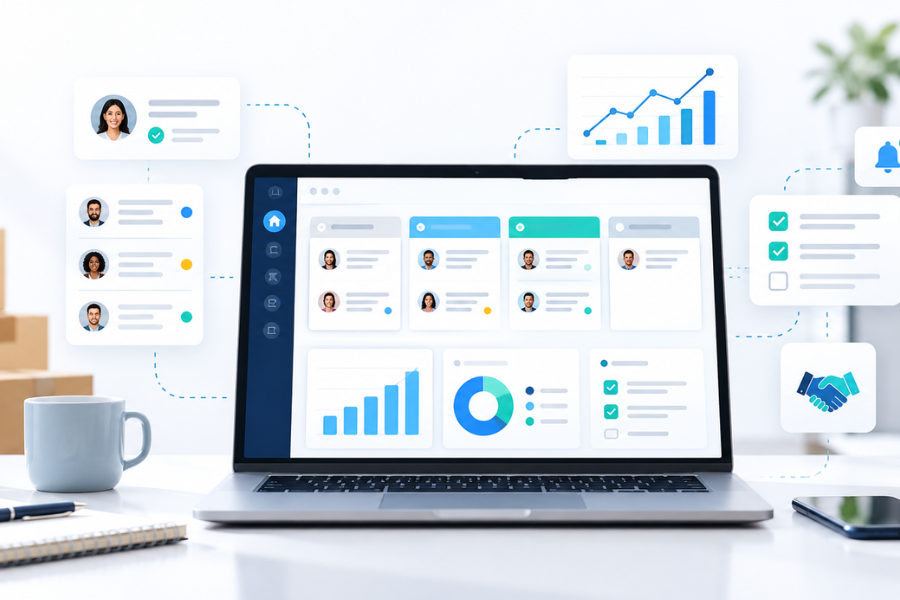
Best CRM Software for Small Businesses in 2026
Not every business needs the same CRM.
Some teams need a simple contact manager. Others need advanced sales pipelines, marketing automation, reporting, or integrations.
Our CRM buying guide explores popular options, including HubSpot, Pipedrive, Zoho CRM, Freshsales, monday CRM, and Less Annoying CRM.
SOFTWARE GUIDE
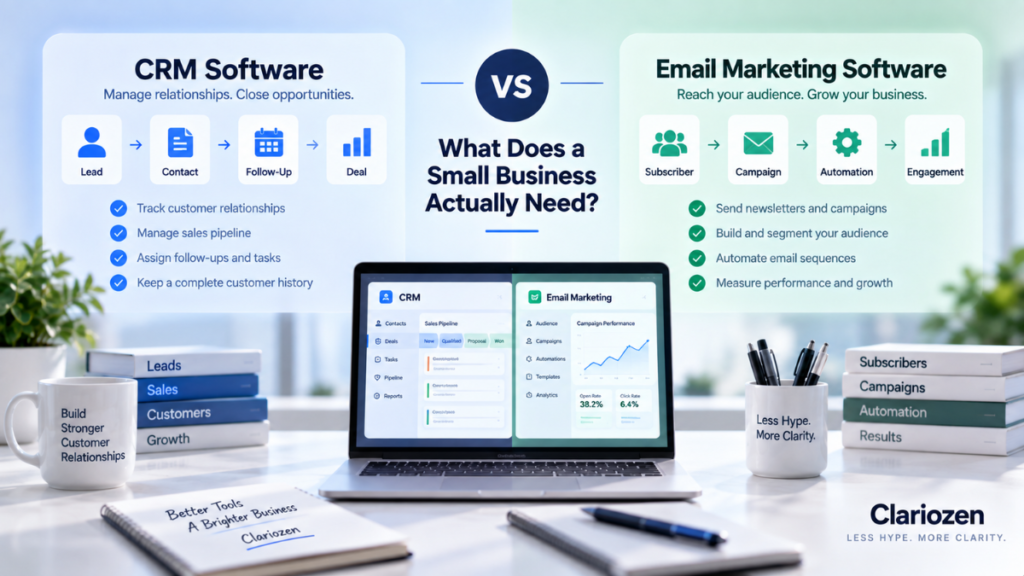
CRM vs Email Marketing Software: What Does Your Business Actually Need?
CRM and email marketing software can work together, but they serve different purposes.
A CRM primarily helps manage customer relationships and sales processes. Email marketing platforms focus on communicating with audiences through campaigns, newsletters, and automated messages.
This guide explains the differences and helps you decide which tool to prioritize.
Popular CRM Platforms Worth Comparing
The CRM market includes everything from simple contact-management tools to advanced sales and customer-engagement platforms.
Here are six options small businesses may want to explore.
HubSpot CRM
Pipedrive
Zoho CRM
Freshsales
monday CRM
Less Annoying CRM
How to Choose CRM Software for a Small Business
Before comparing individual products, identify what your business actually needs.
01.
Start With Your Sales Process
Do you need to manage a simple contact list, or track opportunities through multiple sales stages?
Choose a CRM that supports your real workflow.
02.
Consider Ease of Use
A feature-rich CRM provides little value if your team avoids using it.
Look for an interface and daily workflow your team can realistically adopt.
03.
Understand the Total Cost
Compare more than the advertised monthly subscription.
Consider user limits, automation features, required upgrades, integrations, onboarding, and potential future costs.
04.
Review Integrations
Check whether the CRM works with your existing email, calendar, marketing, accounting, and other business tools.
05.
Evaluate Automation
Automation can help reduce repetitive tasks, but more automation is not always better.
Prioritize the workflows that will actually save time.
06.
Plan for Growth
Your CRM should fit your business today while offering a reasonable path for future users, customers, and sales activity.
Which Type of CRM Fits Your Business?
| Your Main Priority | What to Look For |
|---|---|
| Organizing contacts | Simple contact records, notes, tasks |
| Managing sales opportunities | Visual pipelines, deal stages, follow-up reminders |
| Improving team coordination | Shared records, permissions, activity history |
| Reducing manual work | Workflow automation, templates, integrations |
| Connecting sales and marketing | Marketing integrations, customer activity visibility |
| Supporting a growing team | Reporting, customization, scalability |
Rather than selecting software based on popularity alone, start with the problems you want to solve.
Frequently Asked Questions
Do small businesses really need CRM software?
Not every small business needs a dedicated CRM immediately. However, when customer information becomes difficult to organize or follow-ups start getting missed, a CRM may provide significant value.
Is free CRM software enough for a small business?
It can be. Free plans may work well for basic contact management and simple sales processes. More advanced automation, reporting, integrations, and team features may require paid plans.
What’s the difference between CRM and email marketing software?
CRM software focuses on customer relationships and sales activities. Email marketing software focuses on audience communication, campaigns, and subscriber engagement. Some platforms offer both types of functionality.
Can I switch CRM platforms later?
Usually, yes. However, migration may involve exporting contacts, transferring deal information, rebuilding workflows, and reconnecting integrations. Consider data portability before choosing a provider.
What is the most important CRM feature?
That depends on your business. For a sales-focused team, pipeline management and follow-up tracking may matter most. For a service business, contact history and task management may be more valuable.
Compare Before You Commit
Choosing CRM software is an important business decision, but it doesn’t have to be complicated.
Start by identifying your needs, comparing the features that matter, and understanding the long-term costs.
Clariozen provides practical software guides and comparisons to help you make more informed decisions.
Affiliate Disclosure: Clariozen may earn a commission if you purchase through certain links on our website, at no additional cost to you. Our goal is to provide useful information that helps readers evaluate software based on their needs.